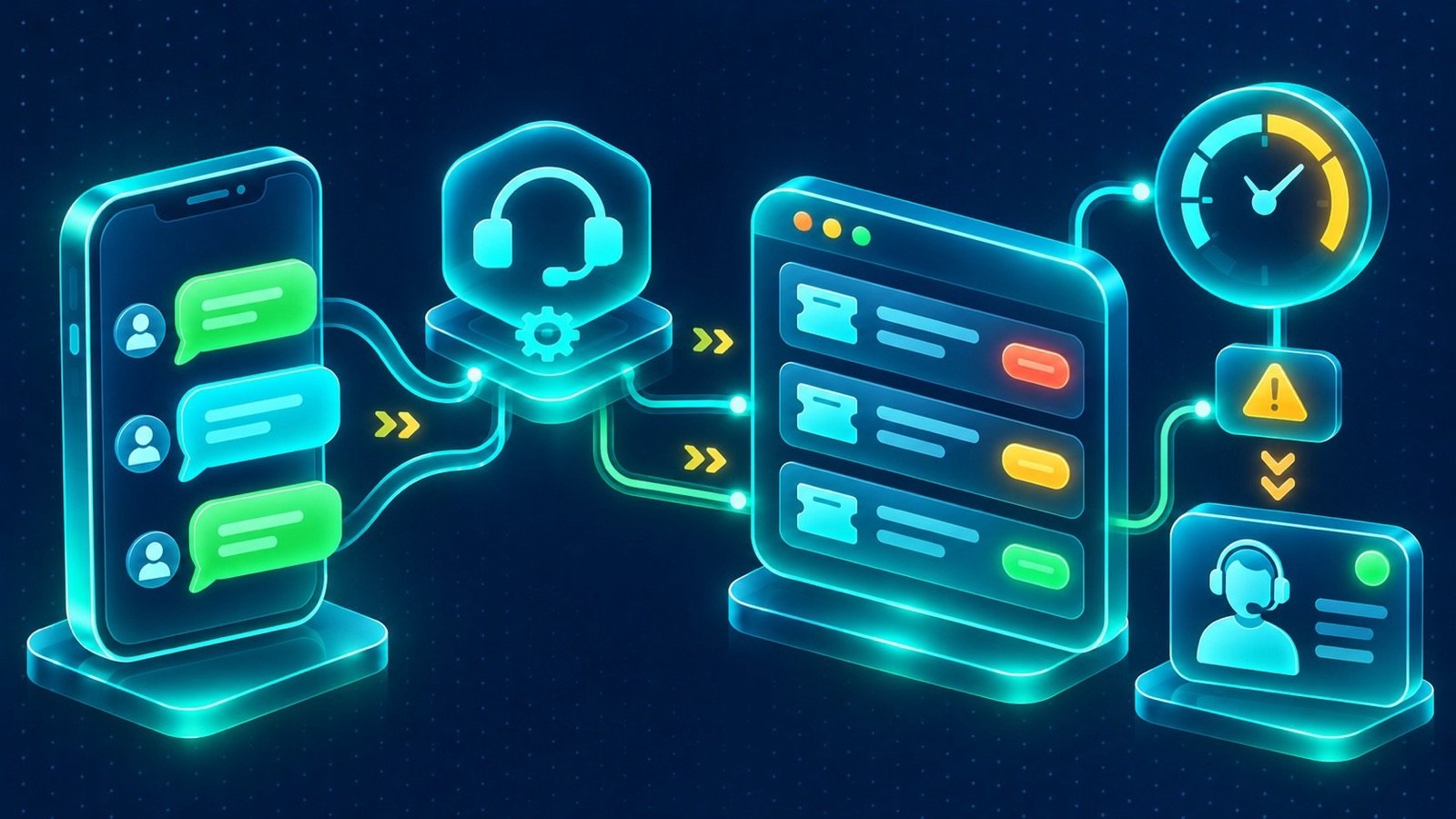
In brief: Learn how WhatsApp customer support automation in Saudi Arabia connects AI, CRM and service workflows to deliver faster, more organised customer support.
A customer sends a WhatsApp message asking about an order, a delayed service request or a technical problem. The support team may already be handling several conversations, and the customer has no clear indication of who is responsible or when to expect an answer. WhatsApp customer support automation in Saudi Arabia helps businesses organise these interactions by connecting messaging with customer records, support workflows and AI-assisted responses.
The goal is to make customer service easier to manage without turning every conversation into an automated exchange. Routine questions can be handled using approved information, while requests that require investigation, judgement or personal attention can reach the appropriate employee. This creates a more structured support operation and gives managers visibility into unresolved cases.
Customer support needs more than automatic replies
A greeting message can acknowledge a customer, but it cannot manage an entire service request. Effective support requires a process that follows the issue from the first message to resolution. That process should preserve the conversation history, identify the customer, record the problem and make responsibility clear.
Consider a customer contacting a maintenance company about an equipment fault. A useful support workflow should be able to:
- Recognise whether the sender is an existing customer.
- Collect the equipment type, location and description of the issue.
- Identify whether the request is an emergency, a routine service enquiry or a general question.
- Create a support case with the relevant details.
- Assign the case to the appropriate service team.
- Keep the customer informed about the next step.
Without this structure, employees may need to copy information between WhatsApp, spreadsheets, email and separate service applications. Important details can be overlooked, particularly when a customer contacts the business more than once.
How WhatsApp customer support automation in Saudi Arabia fits into a service operation
The most useful way to design an automated support service is to treat WhatsApp as one of the channels through which a customer enters the support process. The CRM or helpdesk remains the place where the business manages customer identity, cases, ownership and service history.
Design WhatsApp customer support automation in Saudi Arabia around the complete case lifecycle
A typical implementation can be organised into the following stages:
- Conversation intake: The customer sends a message to the business’s WhatsApp number. The connected integration receives the message and relevant event information.
- Customer identification: The system checks for an existing customer record using available identifiers, such as the phone number. If no suitable record is found, it follows the configured process for creating or verifying one.
- Issue classification: A menu, configured rules or AI-assisted classification identifies the type of request, such as billing, delivery, technical support or a service complaint.
- Case creation: The integration creates or updates a support ticket with the conversation details and relevant customer information.
- Assignment and handling: The case is routed to a department or employee based on its category, priority and the company’s service rules.
- Resolution and closure: The responsible employee records the outcome, communicates the next steps and closes the case when the defined conditions are met.
This approach prevents WhatsApp from becoming an isolated communication channel. Instead, each conversation becomes part of a service record that can be reviewed by authorised team members.
Depending on the organisation’s requirements, the workflow can connect to a custom CRM system, an existing helpdesk or an Odoo implementation. Integration scope should be defined around the records and actions each system can support.
Which support tasks should be automated?
Not every customer request needs the same level of automation. A useful starting point is to separate repetitive, predictable tasks from cases that require human judgement or access to sensitive information.
Use automation for routine requests, not uncontrolled decision-making
Common candidates for automation include:
- Business information: Provide approved details about opening hours, branches, service availability and contact channels.
- Order enquiries: Collect an order reference and, where an authorised integration exists, retrieve an appropriate status from the connected system.
- Appointment requests: Gather preferred dates and times, then check availability through a configured booking integration before confirming.
- Service requests: Ask structured questions, collect supporting information and create a case for the relevant team.
- Ticket updates: Communicate approved status changes, such as a case being received, assigned or resolved.
- Feedback collection: Invite customers to share feedback after a completed interaction, subject to the business’s messaging and consent practices.
These workflows need access to reliable business information. For example, an automated order response should not guess whether an item has shipped. It should retrieve the relevant status from an integrated order or ERP system, or explain that a team member will confirm the details.
Likewise, appointment automation should not confirm a booking simply because a customer requested a time. It needs a connection to the relevant scheduling system and must respect availability, booking rules and any required staff approval.
AI agents and the role of human support teams
AI can make WhatsApp support more conversational than a fixed menu. A customer can describe a problem in their own words, ask a follow-up question or provide details in a different order. A configured AI agent can interpret the request, retrieve relevant approved information and prepare a response.
For example, a customer might report that an invoice does not match an order. An AI agent could identify the issue as a billing enquiry, ask for the order reference and summarise the customer’s explanation. It can then create a case and route it to the finance support team. Whether it can retrieve invoice details or take further action depends on the connected systems and permissions.
IntellaQ Flow’s FlowAI agents can work with business documents and support connected workflows, while Arabic and English customer agents can answer, book and qualify enquiries through WhatsApp and web channels. The agent should use approved knowledge sources and follow defined boundaries for what it can communicate or execute.
Arabic support requires particular attention to language variation. A solution can be configured for Arabic and English interactions, and Arabic Natural Language Processing can support the interpretation of customer messages. However, dialects, spelling variations, abbreviations and unclear descriptions can affect understanding. Realistic testing and a clear human handover process are essential; businesses should not assume that an AI agent will interpret every message correctly.
Human escalation should be available when:
- The customer explicitly requests a person.
- The AI cannot confidently identify the issue.
- The case involves a complaint, dispute or sensitive subject.
- The requested action requires commercial or managerial approval.
- The available knowledge does not contain a reliable answer.
- The case exceeds the support team’s defined authority or service scope.
When a conversation is transferred, the employee should receive the previous messages, customer details, classification and any information already collected. The customer should not have to explain the entire issue again.
Learn more about FlowAI and AI automation and how configured agents can support business operations while keeping important decisions under human control.
Build a shared support workspace across channels
Customers may start a conversation on WhatsApp and later contact the business through email, a website form or a phone call. If each channel is managed separately, employees can lose the context needed to provide consistent service.
A connected support workspace can bring these interactions into one customer record. WhatsApp messages, emails, calls and web enquiries can be associated with the correct contact, while the support team works from a shared view of the customer’s history.
A practical workspace should provide:
- Conversation ownership: A clear employee or team responsible for each active interaction.
- Customer history: Relevant previous conversations, purchases and support cases.
- Case categories: Consistent classification for technical, billing, delivery and other requests.
- Priority and status: A way to distinguish new, active, waiting and resolved cases.
- Internal notes: A place for employees to share context without sending internal comments to customers.
- Escalation rules: A defined route for overdue, complex or high-priority requests.
For businesses that receive customer enquiries through social channels as well as WhatsApp, a coordinated approach to social media management can help keep communication processes organised. The specific channel connections and shared-inbox functionality depend on the selected platforms and integration requirements.
Service levels, priorities and support reporting
Once conversations are recorded as support cases, managers can monitor how the team handles incoming demand. This is especially important for organisations that provide ongoing maintenance, technical support or services under defined customer agreements.
Service-level rules should define what the business considers an acceptable response and resolution process. They can vary by contract, customer category, case type and operating hours. Automation can calculate deadlines, create reminders and escalate cases when a target is at risk, provided the relevant business rules have been configured.
Useful support indicators include:
- First-response time: The time between receiving a request and providing an appropriate first response.
- Resolution time: How long cases take to reach a documented resolution.
- Open case volume: The number of unresolved requests by category, priority or assigned team.
- Reopened cases: Requests that return to active status after being marked resolved.
- Escalation rate: How frequently cases require intervention from another team or manager.
- Customer feedback: Feedback collected after support interactions, interpreted alongside case complexity and other context.
These indicators should help managers understand service demand and identify process problems. A high resolution time, for example, might reflect missing technical information, a dependency on another department or an unrealistic service target. Reporting should support investigation rather than encourage employees to close cases prematurely.
WhatsApp Platform rules and implementation requirements
Businesses planning programmatic customer support and CRM integration at scale generally need the WhatsApp Business Platform, including Cloud API where appropriate. The standard WhatsApp Business app offers basic tools such as greetings and quick replies, but it does not provide equivalent control for custom integrations and automated service workflows.
Implementation should account for these platform requirements:
- Customer opt-in: Obtain and maintain appropriate permission for business messaging, following applicable platform requirements and local rules.
- 24-hour customer service window: When a customer messages the business, the standard customer service window allows free-form replies during the applicable period.
- Approved message templates: Business-initiated messages outside the customer service window generally require approved templates.
- Message preferences: Respect opt-out requests and ensure that connected workflows do not continue sending unwanted messages.
- Technical configuration: Set up the relevant business account, phone number, API permissions, webhooks and integration credentials.
These requirements should be checked against the current WhatsApp documentation before deployment because platform policies and technical requirements can change. The integration also needs monitoring and error handling so that failed events or unavailable systems do not silently interrupt customer support.
Privacy in WhatsApp customer support automation in Saudi Arabia
Support conversations can contain personal information, order details, contact information and descriptions of customer problems. When this information is copied into a CRM or processed by an AI service, the business needs to understand where it goes and who can access it.
Organisations operating in Saudi Arabia should assess their implementation against the Personal Data Protection Law (PDPL) and applicable regulations. Relevant considerations include the purpose of data collection, appropriate notices, consent where required, access controls, retention periods and the handling of data subject requests.
Practical safeguards include:
- Restricting customer records and conversations according to employee roles.
- Collecting only the information needed to handle the support request.
- Protecting API credentials and system connections.
- Defining retention and deletion procedures for conversations and support records.
- Reviewing how external providers and AI services process customer information.
- Maintaining appropriate records of access and important workflow actions.
Private deployment may be considered for certain AI workloads, depending on the organisation’s requirements. However, choosing a private deployment does not by itself establish PDPL compliance. The full data flow, contracts, system configuration and operational practices need appropriate review.
A practical rollout plan for customer support automation
Rather than automating every support category immediately, begin with a limited workflow that has clear inputs, outputs and ownership. A phased implementation makes it easier to test the experience and identify integration gaps.
- Review incoming requests: Analyse common enquiry types, repeated questions, current response channels and existing support procedures.
- Define case categories: Agree on categories, priorities, ownership rules and the information required to create a useful ticket.
- Prepare approved answers: Organise current service information, policies, troubleshooting instructions and frequently asked questions into reliable knowledge sources.
- Configure the integration: Connect WhatsApp to the CRM or helpdesk, define the required data fields and configure the relevant message events.
- Set automation boundaries: Decide which questions can receive automated answers, which actions require an API connection and which cases must go to an employee.
- Test real scenarios: Include Arabic and English messages, incomplete requests, duplicate contacts, complaints, opt-outs, failed integrations and human handovers.
- Launch with a support team: Monitor conversations, review incorrect classifications and update workflows before expanding to additional departments.
Document who owns the system after launch. Knowledge sources need updates, API credentials need appropriate management, and support workflows should change when business policies or service procedures change.
WhatsApp customer support automation in Saudi Arabia with IntellaQ Flow
Customer support automation works best when it strengthens the service operation behind the messaging channel. By combining WhatsApp, CRM records, structured support cases and carefully controlled AI, businesses can give employees better context and customers a clearer path to resolution.
IntellaQ Flow designs connected AI and business system workflows around operational requirements. Whether your organisation needs a shared customer inbox, automated case creation, Arabic and English support agents or CRM-connected service processes, the right scope starts with understanding how your team currently handles customer requests.
For a wider overview of messaging workflows, read our guide to WhatsApp Business automation in Saudi Arabia. To discuss a customer support workflow for your organisation, contact IntellaQ Flow.
Common questions
What is WhatsApp customer support automation?
It connects WhatsApp conversations to configured workflows that can answer common questions, collect customer details, create support tickets, assign cases and escalate requests to human agents.
Can AI handle all customer support conversations on WhatsApp?
No. AI can assist with approved information and routine requests, but complex, sensitive or uncertain cases should be transferred to a human agent. Businesses should define clear limits for automated actions.
Can WhatsApp support automation create CRM or helpdesk tickets?
Yes. With the appropriate API integration and configuration, incoming conversations can create or update customer records and support tickets, including categories, priorities, assigned teams and service-level targets.
Does WhatsApp support automation require the WhatsApp Business Platform?
CRM-connected automation at scale generally requires the WhatsApp Business Platform, such as Cloud API. The standard WhatsApp Business app supports basic tools such as greetings and quick replies but has more limited automation capabilities.
How can a company protect customer information in automated support?
It should apply appropriate access controls, data minimisation, retention rules, secure integrations and consent management. Saudi organisations should assess their processes against the PDPL and applicable regulations.