In brief: Explore WhatsApp Business automation in Saudi Arabia, from customer conversations and AI agents to CRM workflows, approvals and integrations.
Customers in Saudi Arabia increasingly expect businesses to respond through the channels they already use. They ask about products, request quotations, check order progress, book appointments and follow up on service issues through WhatsApp. When employees manage every conversation manually, important enquiries can be missed, customer information becomes scattered and sales teams struggle to maintain consistent follow-up. WhatsApp Business automation in Saudi Arabia helps businesses turn those conversations into organised workflows connected to customer records, sales activity and internal operations.
Automation is more than sending an automatic greeting. A well-designed system can identify what a customer needs, provide approved information, collect relevant details, create or update a CRM record, notify the right employee and escalate requests that need human attention. With FlowAI, IntellaQ Flow connects Arabic and English customer agents to WhatsApp and web, while placing AI workflows inside the ERP and CRM. The objective is to reduce repetitive work without removing human control over important business decisions.
What does WhatsApp Business automation actually include?
WhatsApp automation covers several different capabilities. Some are simple, such as sending an order confirmation after a purchase. Others involve a conversation that understands a customer’s question, checks relevant business information and routes the request to the correct team.
For example, a customer may ask whether a product is available, request a quotation or ask to change an appointment. An automated workflow can identify the request, collect missing information and pass it to the relevant system or employee. If the request involves a decision that needs approval, the workflow should stop at that point and wait for an authorised person.
Typical business workflows include:
- Answering frequently asked questions about services, products and business hours.
- Collecting and qualifying new sales enquiries.
- Routing customer requests to sales, support or operations teams.
- Sending approved appointment reminders and order updates.
- Creating service requests and tracking their status.
- Preparing quotation drafts for employee review.
- Following up on open opportunities and pending customer responses.
The value comes from connecting the conversation to the business process behind it. A message should not remain an isolated chat if it represents a sales opportunity, a service issue or an operational request.
WhatsApp Business app vs WhatsApp Business Platform
Choosing the correct WhatsApp product is an important first decision. The standard WhatsApp Business app is useful for smaller operations that need a business profile, greetings and quick replies. These features can help employees respond consistently, but they do not provide the same integration capabilities as an API-based platform.
For automation at scale, businesses generally need the WhatsApp Business Platform, including the Cloud API. It allows an approved integration to exchange messages and events with business systems, enabling workflows such as CRM updates, customer notifications and AI-assisted conversations.
WhatsApp Business automation in Saudi Arabia requires the right platform setup
Before building workflows, a business should understand the platform requirements and messaging rules. The setup includes a verified business presence, appropriate access to the WhatsApp Business Platform and a process for managing customer consent. Business-initiated messages require approved message templates, while the 24-hour customer service window determines when businesses can respond using free-form messages following a customer’s message.
Customer opt-in is important. Businesses should explain what customers are agreeing to receive and provide a suitable way to manage their preferences. Message templates should be planned for genuine use cases such as order updates, appointment reminders or requested follow-ups, rather than treating every customer interaction as permission for unlimited promotional messaging.
These platform requirements should be reviewed during implementation because account setup, template approval and messaging permissions affect the design of the automation.
How the integration works: from a WhatsApp message to a business action
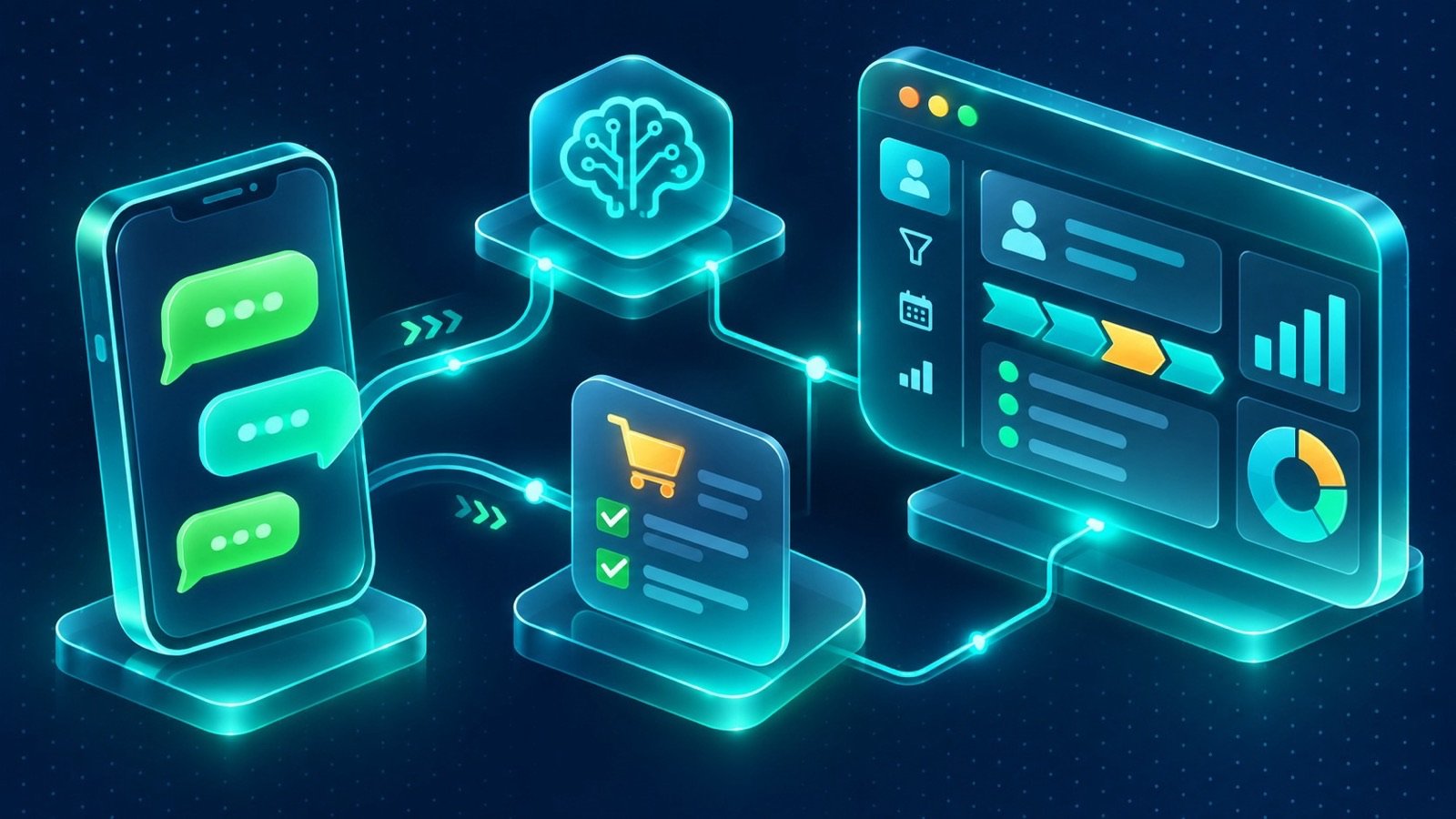
A practical integration has several connected parts. The customer sends a message to the business number. The WhatsApp Business Platform receives it and makes the message available to the connected application. The integration layer then identifies the customer, determines which workflow applies and passes the relevant information to the CRM, ERP or AI agent.
In plain terms, the architecture has five stages:
- Conversation channel: WhatsApp receives the customer’s message and provides the platform connection.
- Integration layer: APIs and webhooks pass incoming messages and relevant events to the business application.
- Customer context: The CRM identifies the customer, previous conversations, open opportunities and assigned employee.
- Automation and AI: Rules or an AI agent interpret the request, retrieve permitted information and prepare the next action.
- Business execution: The system sends an allowed response, updates a record, creates a task or requests human approval.
This architecture needs configuration and, depending on the existing systems, custom integration. The integration must also handle failed message delivery, duplicate events, customer identity matching, permissions and conversation history. These details matter because a message that is delivered twice or attached to the wrong customer can create operational problems.
Connect WhatsApp conversations to your CRM
One of the most useful applications is bringing customer conversations into a shared sales and service workflow. Without this connection, a salesperson may know what was discussed on WhatsApp, while the CRM contains only a name and phone number. Another employee may have to ask the customer to repeat information already provided.
IntellaQ Flow’s custom CRM starts from WhatsApp. WhatsApp messages, emails, calls and web forms can land in one shared inbox attached to the right customer. Teams can work from the same customer record, manage the sales pipeline and review forecasting rather than keeping separate conversation histories.
A connected workflow can:
- Match an incoming conversation to an existing customer or create a new lead.
- Record the source and subject of the enquiry.
- Assign the conversation to a salesperson or service team.
- Keep relevant interactions attached to the customer record.
- Track the opportunity through the sales pipeline.
- Prepare quotations using live ERP data, with e-signature as part of the approval process.
The exact workflow depends on the CRM configuration and the systems being connected. For example, matching contacts may require rules for country codes, duplicate phone numbers and shared business numbers. Product availability and quotation pricing also require an appropriate ERP connection rather than relying on an AI agent to guess commercial information.
Use Arabic and English AI agents for customer conversations
Many Saudi businesses serve customers who switch between Arabic and English, sometimes within the same conversation. A useful AI agent should understand the customer’s language and intent, retrieve relevant information and know when it should hand the conversation to a person.
FlowAI customer agents can answer, book and qualify enquiries through WhatsApp and web at any hour. They use Arabic natural language processing and can be trained on business data so that their responses reflect the company’s approved services, policies and information.
Consider a service business receiving a WhatsApp enquiry about an appointment. The agent can ask for the required details, identify the requested service and check the configured booking workflow. It can then arrange the next step or route the request to an employee if availability or approval needs human confirmation.
For a sales team, the agent can ask qualifying questions, identify the product or service of interest and create a structured lead for follow-up. It can also read business documents, draft proposals and chase follow-ups. A human approves every step that matters; the agent should not independently commit the company to commercial terms or decisions outside its approved permissions.
Automate customer service without losing human oversight
Customer support automation should help teams organise requests, not simply send more automatic replies. A customer may need an order update, a technical explanation, a complaint response or a change to an existing service request. Each type of enquiry needs a different route.
A connected service workflow can classify incoming messages, create a service desk ticket, assign it to the correct team and track the agreed service level. Common questions can receive approved answers, while complex or sensitive cases are escalated to an employee. The employee can then review the conversation and the customer’s history before responding.
For businesses with an existing CRM or ERP, the service workflow may need custom integration to access order status, account information or service records. Access should be limited to the data required for the specific task. The agent should not expose internal notes, another customer’s information or records that the current employee or customer is not authorised to see.
Connect WhatsApp to orders, quotations and business operations
Messaging becomes more valuable when it reflects what is happening inside the business. A customer who asks about an order should receive information from the actual order record, not a manually maintained spreadsheet. A customer requesting a quotation should receive a draft based on current product and pricing data.
For e-commerce businesses, IntellaQ Flow works with Salla, Zid, WooCommerce and custom stores. Orders and stock can be synchronised with the ERP, with Mada-first checkout and ZATCA-ready invoicing as part of the e-commerce solution. Connecting WhatsApp to these workflows can support customer notifications and post-purchase communication.
Examples include:
- Sending an order confirmation after the store records a valid purchase.
- Providing delivery or fulfilment updates when the relevant system status changes.
- Routing a customer question about an order to the correct support team.
- Preparing a quotation from ERP product and pricing data for employee approval.
- Following up on an enquiry when the customer has requested further information.
These workflows require configuration and, where necessary, custom integration between WhatsApp, the store, CRM and ERP. Businesses should define which system owns each record, how status changes are synchronised and what happens when an order is cancelled, refunded or modified.
Privacy, consent and PDPL in WhatsApp Business automation in Saudi Arabia
WhatsApp automation often processes personal information, including names, phone numbers, messages, order details and service requests. Connecting conversations to a CRM or AI agent introduces additional questions about who can access that information, where it is stored, how long it is retained and which service providers process it.
Saudi businesses should assess these workflows in light of the Personal Data Protection Law (PDPL) and applicable requirements. This is an implementation consideration, not a claim that using an automation platform automatically makes a business compliant.
Before launch, document the following:
- Purpose: Explain why customer information is collected and how it will be used.
- Consent and preferences: Maintain an appropriate opt-in process for messaging and respect customer communication preferences.
- Access control: Limit customer records and conversation history to authorised employees and systems.
- Retention: Define how long messages and related records should be kept and how deletion requests are handled.
- Third parties: Review the roles and responsibilities of messaging, hosting, CRM and AI service providers.
- AI boundaries: Define which information an agent can retrieve, what it may draft and which actions require human approval.
Businesses should review their specific processing activities, contracts and responsibilities with appropriate legal and privacy specialists. Technical configuration can support access controls and data-handling procedures, but it does not replace that review.
What to prepare before WhatsApp Business automation in Saudi Arabia
A successful project starts with the business process rather than the chatbot script. Before implementation, identify the conversations that consume the most employee time and the outcomes the business wants to improve. Avoid automating every interaction at once.
Prepare these items:
- Your WhatsApp Business Platform access and verified business setup.
- Customer opt-in wording and approved message-template requirements.
- A list of common enquiries and the correct answers for each.
- CRM and ERP fields that should be available to the workflow.
- Rules for lead assignment, support routing and escalation.
- Approved documents, product information and service policies for AI knowledge.
- Human approval points for quotations, commitments and sensitive requests.
- Privacy, retention and access-control requirements.
- Test scenarios for Arabic, English, mixed-language messages and unexpected questions.
Start with a limited workflow, test it with real operational scenarios and review the results with the employees who will use it. Expand only after the business is comfortable with the responses, handovers and system updates.
WhatsApp Business automation in Saudi Arabia with IntellaQ Flow
Effective automation connects customer conversations to the systems and people responsible for acting on them. It combines the right WhatsApp platform setup, CRM records, ERP information, clear permissions and well-defined human approval steps. For Saudi businesses, Arabic and English support and careful data handling should be considered from the beginning rather than added after launch.
IntellaQ Flow brings together FlowAI, custom CRM and business-system integration to help organise these workflows. Whether the priority is qualifying new leads, answering customer questions, preparing quotation drafts or connecting store orders to customer notifications, the implementation should reflect your actual process and the limits of each connected platform.
Explore FlowAI and AI automation, learn about custom CRM solutions, or review social media management services as part of your customer communication strategy. To discuss your requirements and identify a suitable implementation approach, contact IntellaQ Flow.
Common questions
What is WhatsApp Business automation?
WhatsApp Business automation connects customer conversations to business workflows. It can automate notifications, answer common questions, qualify enquiries, route requests to employees and update CRM records. More advanced automation at scale uses the WhatsApp Business Platform rather than relying only on the standard WhatsApp Business app.
Do I need the WhatsApp Business Platform to automate messages at scale?
Yes. The WhatsApp Business Platform, including its Cloud API, is the appropriate foundation for scalable integrations and automated workflows. The standard WhatsApp Business app offers basic features such as greetings and quick replies, but it is not a substitute for API-based automation.
Can an AI agent answer customers in Arabic and English?
An AI agent can be configured to handle Arabic and English conversations, answer questions using approved business information, qualify enquiries and route requests. Its knowledge sources, permitted actions, escalation rules and human approval requirements should be defined before launch.
Can WhatsApp automation connect to our CRM or ERP?
Yes, through suitable configuration and API integration. Conversations can be associated with customer records, sales opportunities, service requests or ERP data. The exact workflow depends on the CRM or ERP, available APIs, data permissions and the business processes being automated.
What should Saudi businesses consider before launching WhatsApp automation?
Prepare a verified business presence, customer opt-in process, approved message templates for business-initiated messages, clear handling of the 24-hour customer service window, escalation procedures and a data-handling policy. Review personal-data processing and vendor responsibilities in light of Saudi Arabia's PDPL.
More on WhatsApp Business automation in Saudi Arabia
Guides in this series
- WhatsApp CRM Integration in Saudi Arabia: Connect Every Customer Conversation
- Arabic AI Agents on WhatsApp for Saudi Businesses
- WhatsApp Lead Follow-Up Automation in Saudi Arabia: A Practical Guide
- WhatsApp Customer Support Automation in Saudi Arabia: A Business Guide
- Salla and Zid WhatsApp Integration in Saudi Arabia: A Practical Guide