In brief: Explore WhatsApp CRM integration in Saudi Arabia to centralise customer conversations, manage leads, automate follow-ups and connect sales teams.
For many Saudi businesses, the first meaningful interaction with a potential customer happens in a WhatsApp conversation. A prospect asks about a service, requests a quotation, shares a requirement or sends a voice note. The conversation may contain valuable sales information, but if it stays on an employee’s phone, the rest of the company cannot easily act on it. WhatsApp CRM integration in Saudi Arabia turns those conversations into organised customer records, assigned enquiries and trackable sales activities.
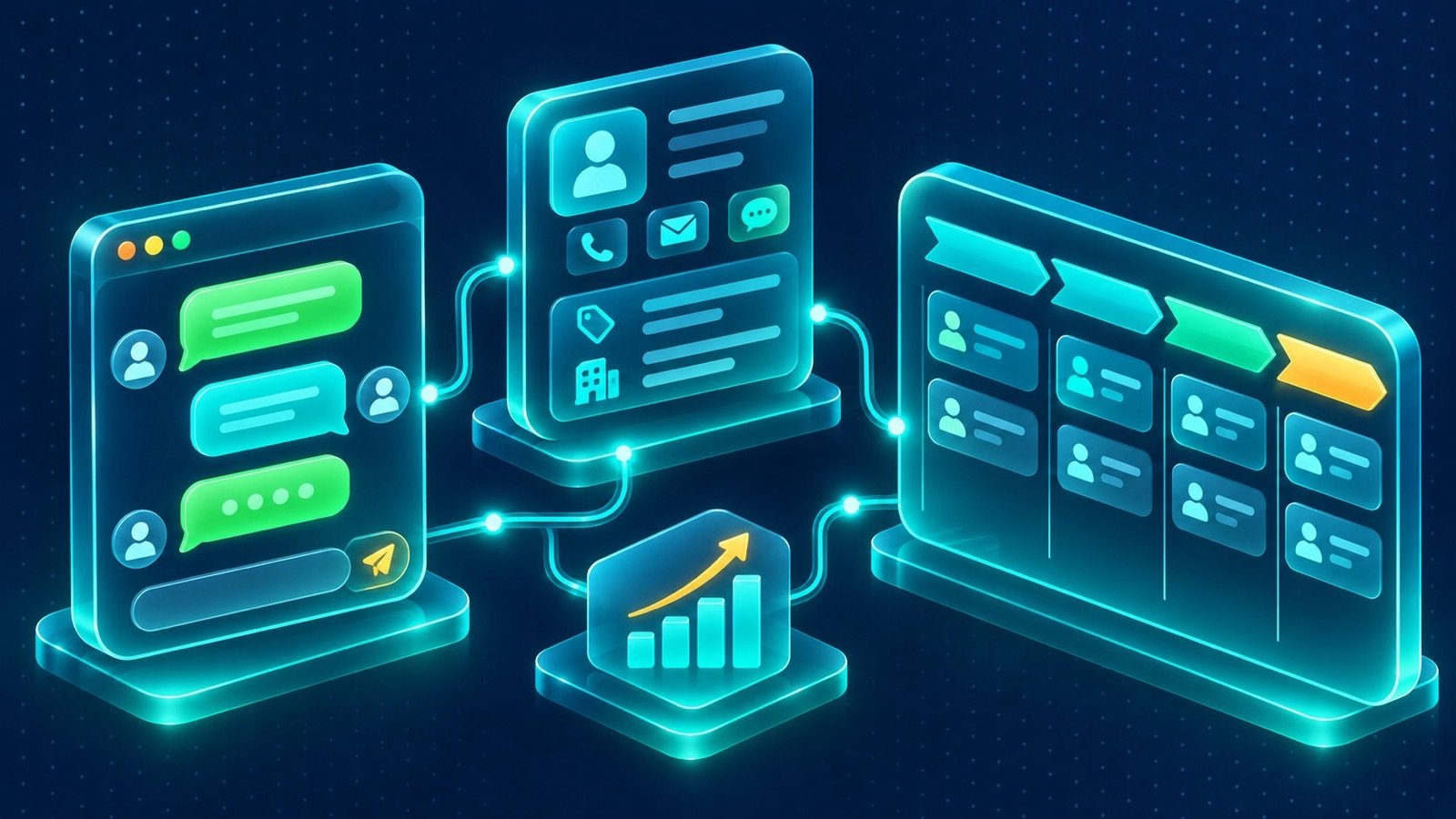
Instead of treating WhatsApp as a separate communication channel, businesses can make it part of their customer-management process. IntellaQ Flow’s custom CRM starts from WhatsApp: WhatsApp messages, emails, calls and web forms can land in one shared inbox attached to the right customer. Teams can manage a shared pipeline and forecasting, prepare quotations using live ERP data and organise service requests with SLAs. The result is a more connected view of the customer relationship, from the first message to ongoing service.
Why connect WhatsApp to your CRM instead of managing chats separately?
Individual chat histories are useful for personal communication, but they are a weak foundation for a sales operation. Managers may not know which enquiries are waiting for a response, whether a lead has been contacted twice or whether an employee has promised a follow-up. If a salesperson is unavailable, another team member may have no context for continuing the conversation.
A CRM-connected workflow changes the unit of work from an isolated chat to a customer record and an assigned business activity. The conversation remains accessible to authorised employees, while important details can be recorded as structured information.
Common business problems this can address include:
- New enquiries arriving on different employees’ WhatsApp accounts.
- Leads missing follow-up because ownership is unclear.
- Customer details being copied manually into spreadsheets or CRM forms.
- Managers having limited visibility into enquiry status and sales activity.
- Customers repeating information when conversations move between teams.
- Sales quotations being prepared without checking current product or service data.
The aim is not to store every message without purpose. It is to make the information needed for the next business action available to the right people.
How WhatsApp CRM integration in Saudi Arabia should work
A reliable integration starts with a clear relationship between the messaging channel, customer identity and CRM workflow. When a message arrives, the system needs to determine whether the sender is an existing customer or a new contact. It then associates the conversation with the correct record, applies the appropriate routing rules and makes the interaction available to the responsible team.
WhatsApp CRM integration in Saudi Arabia: from incoming message to assigned lead
Consider a prospect who sends a message asking for a quotation. The integration receives the message through the WhatsApp Business Platform, checks whether the phone number matches an existing contact and identifies whether there is already an open opportunity. If no suitable record exists, the workflow can create a new lead and collect additional information through the conversation.
The lead can then be assigned according to rules such as service type, location, language or sales team. The employee sees the conversation and the relevant customer context in the shared workspace. Once the enquiry is qualified, the salesperson can update the opportunity stage and schedule the next activity.
This process requires configuration and often custom integration. Phone-number normalisation, duplicate detection, customer matching and assignment rules must be designed around the business’s actual CRM data. A phone number alone may not always identify a unique person, especially when family members or employees share a contact number.
Design the shared inbox around how your team works
A shared inbox should give employees enough context to respond without creating confusion about ownership. Simply displaying every incoming message to every employee can lead to duplicate replies, missed handovers and inconsistent answers.
Define the inbox structure before implementation. A business may organise conversations by department, enquiry type, branch, language or priority. Each conversation should have a clear owner or queue, a status and a process for transferring responsibility.
A practical shared inbox can include:
- Customer identity: The contact record and relevant customer details.
- Conversation history: Previous interactions available to authorised users.
- Ownership: The employee or team responsible for the next response.
- Internal notes: Context for colleagues that is not sent to the customer.
- Follow-up tasks: Reminders and next actions linked to the conversation.
- Escalation: A route for complaints, complex requests or cases requiring approval.
Access permissions should reflect job responsibilities. A salesperson may need to view opportunities and quotations, while a service employee may need access to support requests but not every commercial record. These rules should be configured and tested before the inbox is opened to the wider team.
Turn conversations into a measurable sales pipeline
A conversation is not necessarily a sales opportunity. Some messages are existing-customer questions, service requests or general enquiries. The CRM should distinguish these cases so that sales reports are meaningful and employees are not asked to qualify every incoming message as a new deal.
For genuine sales enquiries, define the information required to move a lead forward. Depending on the business, this may include the requested product or service, location, expected timing, budget range or decision-maker. An automated assistant can ask for missing information, while the CRM stores the answers in the appropriate fields.
Sales teams can then work through a defined pipeline, for example:
- New enquiry received.
- Customer details identified or collected.
- Lead qualified and assigned.
- Requirement reviewed by the sales employee.
- Quotation prepared and sent.
- Follow-up completed and opportunity updated.
- Opportunity won, lost or placed into a defined future follow-up stage.
Pipeline stages should reflect the company’s actual sales process rather than adding unnecessary steps. Managers can use the resulting records to review open opportunities, forecast activity and identify leads that need attention.
Connect CRM conversations to ERP quotations and business data
One limitation of a standalone messaging workflow is that employees may still need to switch systems to check prices, stock or service information. A CRM connected to an ERP can reduce that gap, provided the integration retrieves information from the correct source.
For example, a customer may ask for a quotation for several products. The CRM can capture the request, while the connected ERP provides the relevant product and pricing data. A quotation can then be prepared for employee review, with e-signature included in the configured process.
This connection is particularly important when prices depend on customer agreements, product variants, availability or other commercial rules. The AI agent should not invent prices or promise stock availability based on general knowledge. It should use authorised business data and follow the configured workflow.
Integration requirements may include product and customer identifiers, price-list rules, stock availability, quotation status and document links. The ERP should remain the source of truth for the records it owns. Changes to products, prices or orders should follow the approved system process rather than being independently recreated in chat.
Use AI to assist employees, not bypass important decisions
Once conversations and customer records are connected, an AI agent can help with repetitive work. It may identify the customer’s intent, answer common questions from approved information, collect qualification details or prepare a summary for the employee taking over the conversation.
FlowAI agents can work in Arabic and English on WhatsApp and web. They can read documents, draft proposals and chase follow-ups, with a human approving every step that matters. FlowAI sits inside the ERP and CRM, allowing configured workflows to use business context rather than treating every message as an isolated question.
Useful examples include:
- Summarising a long customer conversation before a salesperson takes over.
- Collecting missing details needed to qualify an enquiry.
- Answering approved questions about services or business processes.
- Preparing a proposal draft using authorised documents and data.
- Reminding a team member about a pending customer response.
- Routing sensitive or unclear requests to a human employee.
The agent’s knowledge sources, permissions, escalation conditions and approval points need configuration. It should not independently approve discounts, change contractual terms, issue commitments or make decisions outside its authorised scope.
WhatsApp Business Platform requirements and messaging rules
For scalable CRM integration, businesses generally need the WhatsApp Business Platform, including the Cloud API. The standard WhatsApp Business app supports basic greetings and quick replies, but it is not a substitute for API-based integration with a CRM.
The implementation must account for the platform’s messaging rules. Businesses need an appropriately verified business presence and customer opt-in. Business-initiated messages require approved message templates. The 24-hour customer service window also affects the type of message a business can send after a customer has contacted it.
These rules influence the CRM design. For example, a follow-up reminder should not automatically trigger an unrestricted message. The workflow needs to check the applicable messaging window and template requirements before sending. Template management, opt-in records and message-status handling should be included in the implementation scope.
Customer data and PDPL in WhatsApp CRM integration in Saudi Arabia
A connected inbox can contain names, phone numbers, conversation details, business requirements and other personal information. Moving that information into a CRM makes data governance part of the technical design, not an administrative task to postpone until launch.
Saudi businesses should review their data processing in light of the Personal Data Protection Law (PDPL) and applicable requirements. The integration itself does not guarantee compliance. The organisation should understand what it collects, why it collects it, who can access it and which providers process it.
Before going live, establish clear practices for:
- Purpose and transparency: Explain why customer information is collected and how it is used.
- Consent: Record appropriate communication preferences and customer opt-in.
- Permissions: Limit access to conversations and customer records by role.
- Retention: Define retention periods and procedures for handling deletion requests.
- Third-party processing: Review messaging, hosting, CRM and AI service-provider responsibilities.
- AI access: Restrict the information agents can retrieve and the actions they can initiate.
Review the specific workflow, contracts and data responsibilities with appropriate privacy and legal specialists. Technical controls can support the process, but they do not replace organisational and legal review.
What to prepare before connecting WhatsApp to your CRM
Good preparation prevents the integration from becoming a technical connection that employees do not use consistently. Start by mapping the customer journey and identifying where conversations currently enter the business.
Prepare the following:
- The WhatsApp Business Platform account and required business verification.
- Customer opt-in wording and approved message-template use cases.
- Your CRM contact fields, lead stages and customer categories.
- Rules for matching phone numbers and handling duplicate contacts.
- Departments, inbox queues and conversation assignment rules.
- ERP data required for quotations, stock or order enquiries.
- Follow-up ownership, escalation rules and service-level expectations.
- Privacy, retention and access-control requirements.
- Test cases for Arabic, English, voice notes, incomplete enquiries and handovers.
Begin with one important workflow, such as capturing and assigning new sales enquiries. Test it with the sales team, review how records are created and transferred, then extend the integration to quotations, support and AI-assisted follow-up.
WhatsApp CRM integration in Saudi Arabia with IntellaQ Flow
A CRM should help a business understand its customers and coordinate the next action, not simply store contact details. When WhatsApp conversations are connected to customer records, sales pipelines, ERP information and service workflows, employees can work with better context and managers can see where enquiries stand.
IntellaQ Flow combines custom CRM, FlowAI and business-system integration to help businesses organise this process. The right implementation depends on your current CRM and ERP, messaging setup, team structure and customer-data requirements. Start with the workflow that creates the most friction, define the necessary permissions and approvals, and expand from a tested foundation.
Explore custom CRM solutions, learn about FlowAI and AI automation, or review ERP solutions and Odoo implementation for connected business operations. For an assessment of your WhatsApp and CRM requirements, contact IntellaQ Flow.
For the wider implementation picture, read our guide to WhatsApp Business automation in Saudi Arabia.
Common questions
Why should a business connect WhatsApp to its CRM?
A CRM connection helps turn conversations into structured customer records and sales activities. Teams can assign enquiries, maintain interaction history, track opportunities and coordinate follow-ups instead of managing customer information across individual phones and chat threads.
Can multiple employees manage the same WhatsApp business number?
Yes, a shared inbox can allow authorised employees to handle conversations from a common workspace. The implementation needs rules for assignment, ownership, internal notes, permissions and handover so that employees do not respond inconsistently or expose information to the wrong users.
Does WhatsApp CRM integration require the WhatsApp Business Platform?
For scalable API-based automation and CRM integration, businesses generally need the WhatsApp Business Platform, including the Cloud API. The standard WhatsApp Business app provides basic greetings and quick replies but is not a replacement for API-based workflows.
Can WhatsApp conversations automatically create CRM leads?
Yes, an integration can identify new enquiries, collect relevant details and create or update CRM records. This requires configuration of customer matching, lead qualification fields, assignment rules and duplicate handling.
How should a Saudi business handle customer data in a WhatsApp-connected CRM?
Define the purpose of collecting information, customer communication preferences, access permissions, retention rules and third-party processing responsibilities. Review the workflow against applicable Saudi PDPL requirements with appropriate specialists; a CRM integration alone does not guarantee compliance.