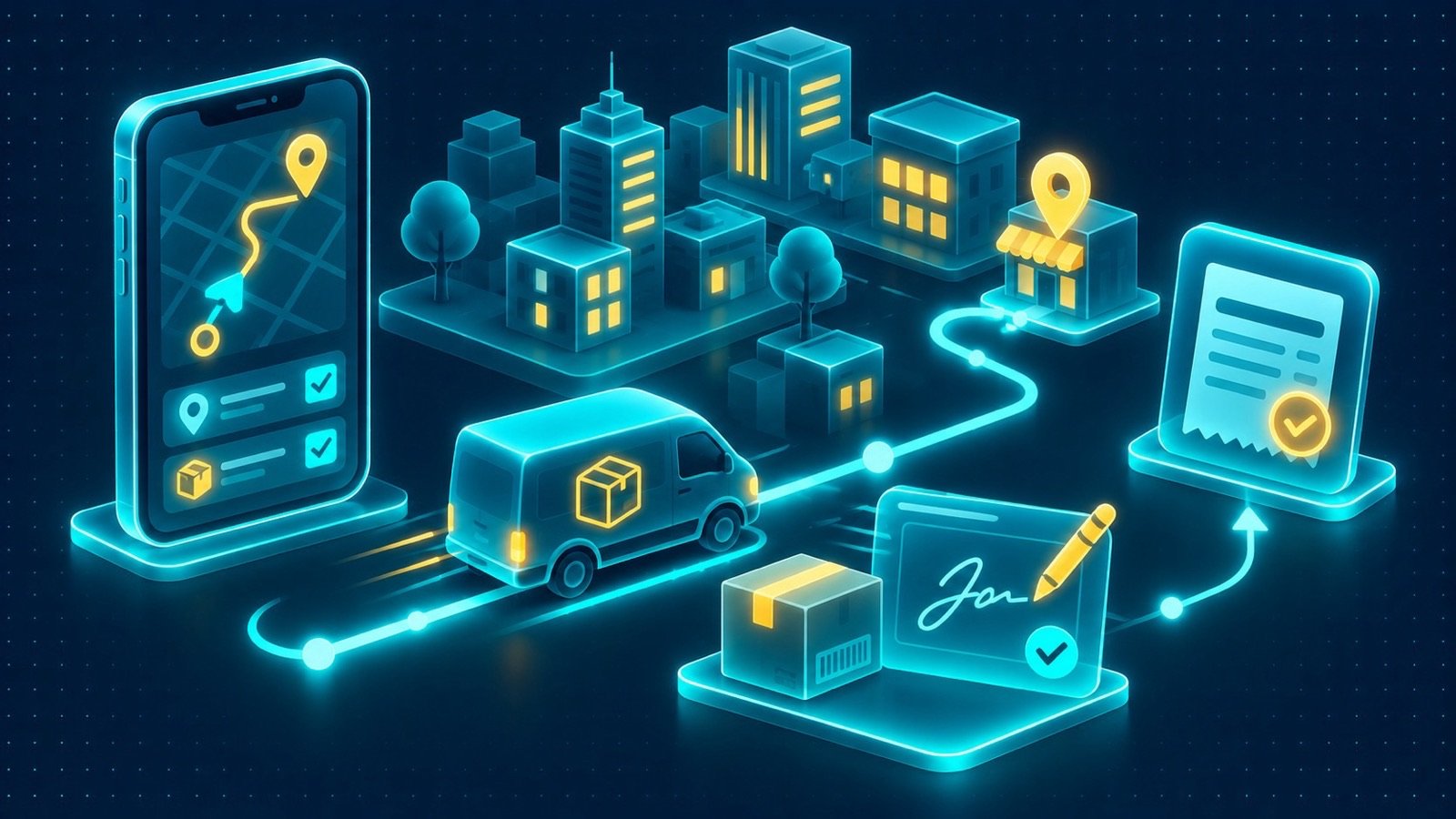
In brief: Explore delivery driver app development in Saudi Arabia, including route management, GPS, proof of delivery, cash collection and ERP integration.
A delivery is not complete simply because a driver reaches the destination. The business may still need confirmation that the correct items were handed over, a customer signature was captured, cash was collected and the order status was updated. When these steps are recorded through calls, paper documents or disconnected tools, office teams can struggle to establish what happened and whether the transaction is ready for the next stage. Delivery driver app development in Saudi Arabia helps businesses structure these activities into a mobile workflow that connects drivers, customers and central operations.
The right application should reflect the organisation’s delivery process from assignment to final confirmation. It needs to show drivers the information required for each task, provide clear actions for recording delivery outcomes and send the resulting records to the appropriate business systems. Route management, proof of delivery and cash collection should be designed as connected parts of the same process rather than isolated features.
What a delivery operation needs from a driver app
A driver app serves as the operational interface between the person completing a delivery and the teams coordinating orders. It should make assignments understandable, reduce uncertainty about the next action and provide a consistent way to report results.
Start by mapping the delivery journey. Identify how orders are assigned, how drivers receive their tasks, what information they need at the destination, and which events mark a delivery as completed or unsuccessful. Include exceptions such as a customer being unavailable, an incorrect address, damaged goods or a partial delivery.
Each event should have a clear status and an associated record. This allows dispatchers and authorised office employees to understand the delivery outcome without relying on informal messages or separate spreadsheets.
Essential driver workflows and features
1. Delivery driver app development in Saudi Arabia for assigned orders
Drivers need a clear view of their assigned deliveries, including the information necessary to complete each task. Depending on the business, this may include an order reference, customer details, delivery address, item information, special instructions and a required delivery window.
The app should distinguish between tasks that are new, accepted, in progress, completed or unsuccessful. If a delivery cannot be completed, the driver should be able to select an appropriate reason and provide supporting information where required.
Assignment changes also need to be handled carefully. If dispatch reallocates an order, the application should communicate the change and avoid leaving the driver with an outdated task that appears active. Define how updates are delivered and what happens when the driver’s device is temporarily offline.
2. Route planning, maps and GPS
Route information helps drivers navigate between assigned destinations. A mobile app can present delivery locations and use maps and GPS to support navigation, subject to device permissions and the selected mapping services.
Before implementation, decide whether routes are supplied by an existing dispatch process or need to be organised within the application. Define how route changes reach the driver and how the app displays the next destination. If the business uses delivery priorities or specific sequencing rules, document those requirements rather than assuming the map alone will determine the best route.
GPS can also support location-related workflow steps, such as recording arrival at a delivery location where this is appropriate. The organisation should define when location is collected, why it is needed and who can access it. Continuous tracking should not be assumed to be necessary for every delivery process.
3. Proof of delivery and customer sign-off
Proof of delivery provides a record that a handover took place. Depending on the organisation’s process, the app may capture a customer signature, confirmation details, photographs or another approved form of evidence.
The workflow should identify what counts as valid confirmation. For example, a completed delivery may require the driver to verify the order, confirm receipt with the customer and submit the required signature. If the customer is unavailable or refuses the delivery, the app should provide a separate outcome rather than allowing the driver to mark it as successfully completed.
Evidence should be linked to the correct order and delivery record. Define who can review it, how long it is retained and how corrections are handled. The application should also show whether the evidence has been saved locally, submitted successfully or is still awaiting synchronisation.
4. Cash collection and payment records
Some delivery operations involve collecting cash at the destination. The driver workflow should display the amount expected where appropriate and provide a controlled way to record the amount collected, any discrepancy and the delivery reference.
Cash collection should not be treated as a simple note in a text field. Define the permitted payment statuses, who can amend a submitted record and how the collected amount is reconciled with the organisation’s financial process. Where a discrepancy occurs, the app should capture the required details for review rather than silently treating the transaction as settled.
If other payment methods are part of the operation, determine whether the app records the payment result or relies on another payment system. The driver interface should clearly distinguish payment confirmation from delivery confirmation.
Connect delivery completion to ERP and CRM
A driver app becomes more valuable when delivery events update the business records used by dispatch, finance and customer service. ERP may hold orders, invoices and operational records, while CRM may provide customer information and interaction history.
Define the source of truth for each record before designing the integration. For example, ERP may provide the order and expected delivery details, while the app submits the delivery outcome and proof of receipt. CRM may provide customer context and receive relevant updates so that authorised support employees can respond to enquiries.
Where the business process requires an invoice to be issued when the customer signs, specify the event that triggers invoice creation, the data needed for the invoice and the system responsible for generating it. The workflow should distinguish between capturing a signature, submitting the delivery confirmation and receiving confirmation that the invoice has been issued.
Integration design should also cover failed requests, duplicate submissions and delayed updates. A driver should not be told that a transaction is complete if the required backend operation has not been confirmed. Instead, the app should communicate whether the action is pending, accepted or needs attention.
For the wider business-system context, review ERP solutions and CRM solutions.
Offline delivery workflows and synchronisation
Drivers may travel through areas where mobile connectivity changes during a route. A delivery application should therefore identify which information must remain available offline and which actions can be safely recorded without a live connection.
5. Offline storage and conflict handling
The app may store assigned delivery details and allow selected actions to be queued locally. A driver could record a delivery outcome or capture a signature while offline, with the submission waiting until the device can connect again.
However, the application needs explicit rules for synchronisation. What happens if dispatch cancels or changes an order while the driver is offline? What if the same delivery record is updated by another authorised user? Which actions can be accepted automatically, and which require review?
These decisions should be made before implementation. The app should display pending updates and report synchronisation failures clearly. It should also prevent repeated taps or retries from creating duplicate delivery confirmations or cash collection records.
Test realistic conditions, including a connection dropping during evidence upload, a driver reopening the app with pending records and an order changing before synchronisation. Offline support is only useful when the organisation can trust how the app reconciles these events.
Driver experience and operational administration
Drivers often use the app while moving between tasks, so the interface should prioritise clarity and minimise unnecessary steps. Important information should be easy to find, buttons should be understandable and confirmation messages should explain whether an action succeeded.
Dispatchers and operations managers need a different view. They may need to review assigned work, delivery statuses, unsuccessful attempts, pending confirmations and records requiring investigation. The app should send structured updates to the systems or dashboards used by those teams rather than requiring them to interpret free-form messages.
Approvals on the go may be useful for exceptions that require a manager’s decision. For example, an authorised person may need to review a discrepancy or approve a revised delivery outcome. Define the approval authority and ensure the app records the decision and its context.
Arabic RTL and English support
Delivery applications used in Saudi Arabia may need to support Arabic and English for drivers, customers and office employees. Arabic support should include right-to-left navigation and layouts across order details, forms, status screens and confirmation messages.
Test mixed-language content such as Arabic customer names, English product descriptions, numeric order references and addresses. Ensure that the interface remains readable when users switch languages and that the underlying order information is not changed by the display preference.
Instructions and delivery status messages should use clear terminology. Drivers need to understand the next action, while customers should receive confirmations that accurately describe the delivery outcome.
Security and PDPL in delivery driver app development in Saudi Arabia
Driver applications may process customer contact details, delivery addresses, signatures, photographs, payment records and location information. Organisations should identify the personal data required for each step and avoid collecting or retaining information without a defined purpose.
Saudi Arabia’s Personal Data Protection Law (PDPL) and applicable regulations should be considered when planning collection, use, access, storage and sharing. The organisation should assess relevant legal bases, privacy notices, retention and deletion practices, access controls and arrangements with service providers or other parties where applicable.
Technical safeguards may include secure authentication, role-based access, protected API credentials, appropriate encryption and audit records. If delivery evidence is stored offline, define how it is protected on the device and how it is handled when a device is lost or a driver’s access is revoked.
Location permissions deserve particular attention. Explain the operational purpose for collecting location data, determine when it is required and restrict access appropriately. A technical implementation does not itself guarantee compliance with PDPL. The organisation remains responsible for assessing its processing activities, contracts and procedures and should obtain qualified advice where appropriate.
Building and publishing the driver application
A cross-platform approach can support iOS and Android through one Flutter codebase. This can provide a shared foundation for driver screens and business workflows, while device-specific capabilities such as GPS, camera access, notifications and biometric authentication may require suitable plugins or platform-specific implementation.
Testing should cover both platforms and the devices expected to be used by drivers. Include route navigation, permissions, evidence capture, offline operation, synchronisation, cash collection and integration responses. User acceptance testing should involve people familiar with the actual delivery process.
Publishing requires appropriate Apple Developer and Google Play developer accounts, along with app metadata, screenshots, privacy disclosures and explanations of requested permissions. Apple App Store and Google Play submissions are reviewed under their respective policies. Prepare review access and supporting information where required, and allow for possible requests to clarify or change the submission. Do not assume a particular approval outcome or review duration.
How to scope a driver app project
Before requesting a proposal, document the delivery journey and agree on the required records and outcomes. A practical scope should address:
- Assignments: how drivers receive orders and how changes are communicated.
- Navigation: maps, route information and justified GPS use.
- Delivery confirmation: customer sign-off and required proof of delivery.
- Cash collection: expected amounts, recorded collections and reconciliation rules.
- Invoicing: the event and validation process that trigger invoice issuance.
- Offline use: local records, queued actions and conflict resolution.
- Integrations: ERP orders, CRM customer records and backend status updates.
- Administration: dispatch visibility, exception handling and approval responsibilities.
Separate essential workflows from future enhancements. The first release should support a complete delivery journey that can be tested with real users. Additional features can be introduced when the operational need and dependencies are clear.
Delivery driver app development in Saudi Arabia with IntellaQ Flow
IntellaQ Flow develops offline-first iOS and Android applications for drivers, field teams and customers using one Flutter codebase for both stores. Driver workflows can include route information, maps and GPS, proof of delivery, cash collection and invoice issuance when the customer signs.
The service can also incorporate offline storage with synchronisation and conflict rules, approvals on the go, and biometric login with ERP permissions. The application scope is defined around the organisation’s delivery process and the systems that need to exchange information.
Effective delivery driver app development in Saudi Arabia connects the driver’s actions with reliable order, customer and financial records. The app should make each delivery step clear, preserve evidence of the outcome and communicate accurately with the systems used by the business.
Explore IntellaQ Flow’s mobile app development service, read the enterprise mobile app solutions guide, and book a consultation to discuss your delivery workflows and integration requirements.
Common questions
What should a delivery driver app include?
Common functions include assigned deliveries, route information, maps and GPS, delivery status updates, proof of delivery, customer sign-off and cash collection records.
Can a driver app work without an internet connection?
It can support selected offline workflows by storing assigned information and queuing permitted actions locally. The app needs defined synchronisation and conflict rules for when connectivity returns.
How does proof of delivery work in a mobile app?
A driver can complete a delivery workflow by recording the required confirmation, such as a customer signature or other approved evidence. The result should be linked to the relevant delivery or order record.
Can a delivery app record cash collection and issue invoices?
A workflow can record cash collected against a delivery and connect customer sign-off to an agreed invoicing process. The business must define the validation, reconciliation and invoice-generation rules.
Can a driver app connect to ERP and CRM?
Yes, where suitable integration capabilities are available. ERP may provide order and invoice information, while CRM can provide customer context. Data ownership, permissions and update rules should be defined before implementation.